TPU로 인하여 Nvidia 의 위치가 위협받는 가운데
Nvidia/nemotron-3-nano 모델을 발표했습니다. ollama Library 에서 설치를 진행하면 다음과 같은 오류와 함께 중단 되었습니다.
$ ollama pull nemotron-3-nano:30b
pulling manifest
Error: pull model manifest: 412:

The model you are attempting to pull requires a newer version of Ollama.

Please download the latest version at:

	https://ollama.com/download
이번에 Ollama 설치 및 업데이트, 그리고 설정에 대하여 살펴보도록 하겠습니다.
Install & Update
화면에서 보여주는 Download Ollama 페이지로 이동하면 설치 명령어만 보이는 것을 알 수 있습니다. 운영체계별 설치관련 상세페이지 Documentation Linux를 보면 기존의 설치된 패키지를 삭제하고 설치하는 것을 권장하고 있습니다.
이들을 조합하면 다음의 명령을 실행하면 최신 업데이트된 버젼으로 설치되는 것을 확인할 수 있습니다.
$ sudo rm -rf /usr/lib/ollama
$ curl -fsSL https://ollama.com/install.sh | sh
만약 업데이트 후 반영이 되지 않았다면, 시스템을 재 실행하거나 다음의 명령어로 서비스를 수동으로 재 실행 하면 됩니다.
sudo systemctl restart ollama
Models
Ollama 서비스는 root 계정으로 설치 및 관리되고 있습니다. 모델들을 확인하고 저장되는 폴더를 살펴보면 다음과 같습니다.
$ ollama ls
NAME                  ID              SIZE      MODIFIED
qwen3:4b              359d7dd4bcda    2.5 GB    2 months ago
qwen2.5-coder:1.5b    d7372fd82851    986 MB    2 months ago

$ sudo du -h --max-depth=1 /usr/share/ollama
113M	/usr/share/ollama/.nv
3.3G	/usr/share/ollama/.ollama
3.4G	/usr/share/ollama
Ollama 실행하기
CLI 터미널과 Python 을 활용하여
# 번역내용 확인
$ cat input.txt | ollama run nemotron-3-nano:30b --prompt "Translate the following text into Korean:"

# 번역내용 파일로 저장
$ cat input.txt | ollama run nemotron-3-nano:30b --prompt "Translate the following text into Korean:" > input_ko.txt
import requests

# 파일 읽기
with open("input.txt", "r", encoding="utf-8") as f:
  text = f.read()

# Ollama API 호출
response = requests.post(
  "http://localhost:11434/api/generate",
  json={
    "model": "nemotron-3-nano:30b",
    "prompt": f"Translate the following text into Korean:\n\n{text}"
  }
)

for line in response.iter_lines():
  if line:
    print(line.decode("utf-8"))
모델 빌드하여 활용하기
(ollama.com/library)[https://ollama.com/library] 에서 Ollama 에서 직접 모델을 활용 가능한 내용들을 확인할 수 있습니다.
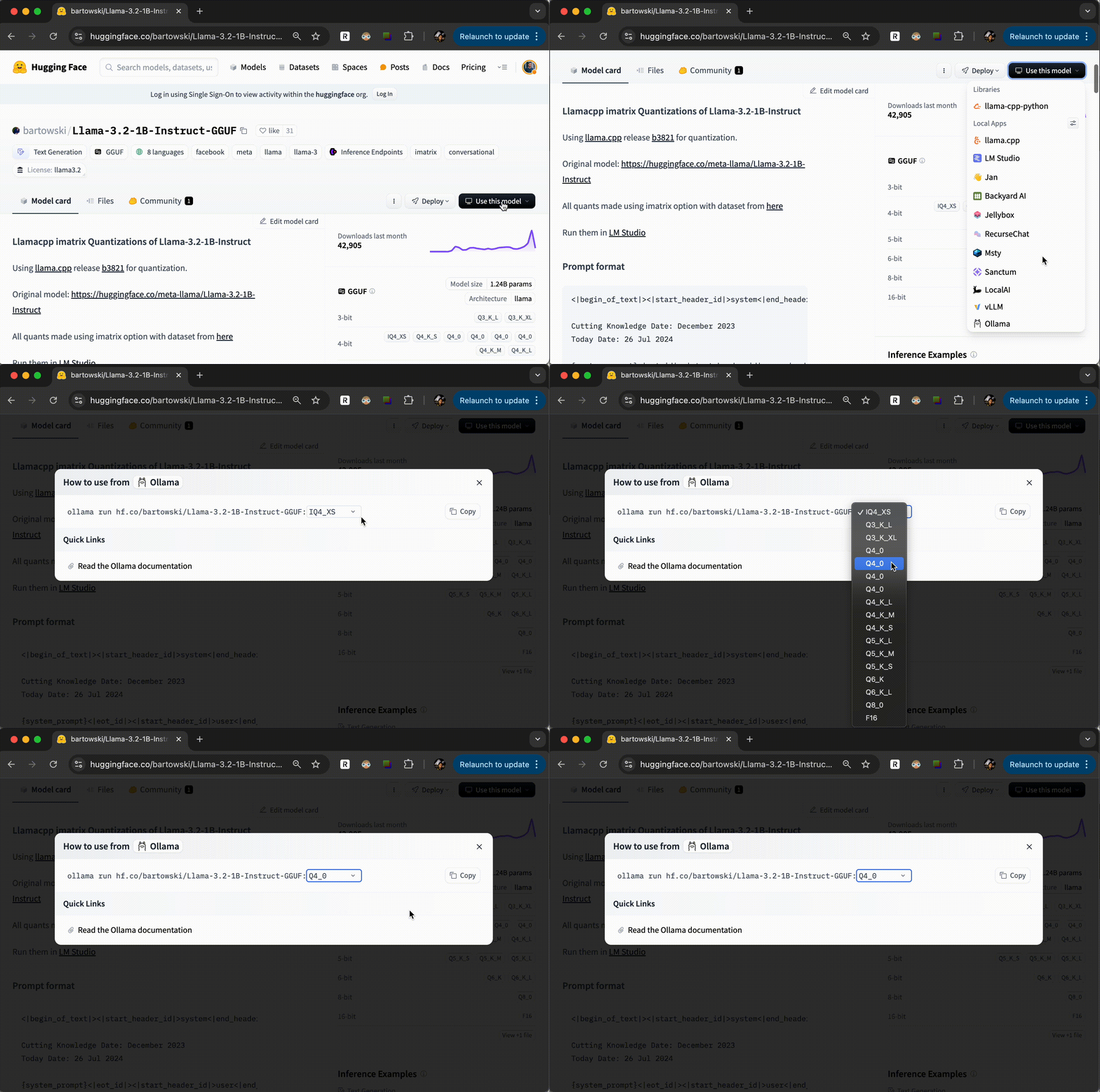
huggingface 에서 GGUF 학습모델이 있을 때에는 Use Ollama with any GGUF Model on Hugging Face Hub 에서 안내하는 것 처럼 모델을 설치 및 활용할 수 있습니다.